Remote Access Tool You Never Knew Was There
Most people think a hacked computer looks like something: a scary popup, a frozen screen, a ransom note. But some of the most dangerous software on a computer never shows itself at all.

This week we removed a program called ScreenConnect from a customer's home computer. It's a remote access tool, the kind that lets someone else see your screen, move your mouse, and use your computer as if they were sitting in front of it. He doesn't remember installing it or clicking anything suspicious. In fact, it had been sitting on his machine for over a year.
He only found out because we ran a security sweep and it lit up. Not because his computer acted strange. Not because anything was obviously wrong. It just sat there, quietly, for over a year.
The same week, we caught two more instances of the exact same tool on an office computer at a local business. Our security monitoring flagged it automatically at 8AM that morning. By lunch, both were removed, and the front desk staff who used that computer daily never noticed a thing, before or after.
That's the part that should concern every business owner: the absence of symptoms doesn't mean the absence of a problem.
How does this happen?
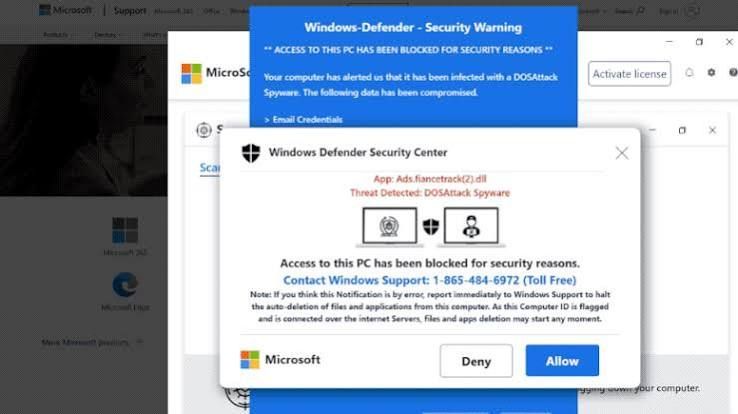
Usually one of three ways: a bundled install hidden inside another download, a leftover access tool from an old IT provider or employee that was never revoked, or a scam popup that talked someone into installing "support software" months or years ago that never got cleaned up.
Why it matters for a business, not just a home PC
On a home computer, this means someone quietly watching for banking logins. On a business computer, it can mean access to client records, vendor invoicing, shared drives, or whatever else that login touches, sitting open for as long as nobody's looking.
How we catch these
Clients on our plans get 24/7 monitoring and we're alerted when an unauthorized tool shows up on a device, not weeks later, not "whenever someone notices something's wrong." That tool on that company's devices was found and removed the same morning it triggered, with zero disruption to their day. The home computer above didn't have that coverage, which is exactly why it went unnoticed for over a year.
If you don't know whether something like this is already sitting on your computer or your business's machines, that's worth finding out, not after something goes wrong, but before.