
Real-Life Email Scams (and How to Stay Safe)
You’ve probably heard of email phishing, but what does it actually look like?
Phishing is when someone sends a fake email that looks real—hoping you’ll click a link, share your password, or download something dangerous. Here are a few real-world examples small businesses and everyday users run into all the time:

1. The “Invoice” That Isn’t
What happens:
You get an email from “QuickBooks,” “PayPal,” or a supplier saying you owe money or that a payment failed.
The trick: The link takes you to a fake website that steals your login or credit card info.
Stay safe:
- Don’t click invoice links in unexpected emails.
- Log in directly at the company’s real website instead.
2. The “CEO” or “Boss” Request
What happens:
An email looks like it’s from your boss or business partner asking you to buy gift cards or send a wire transfer.
The trick: The sender’s name looks right, but the email address is slightly off—like
bob@company-pay.com instead of
bob@company.com.
Stay safe:
- Always check the sender’s full email address.
- Confirm requests for money by phone or in person.
3. “Your Package Is Waiting”
What happens: You get a “delivery update” from USPS, FedEx, or Amazon with a link to “track your package.”
The trick: The link installs malware that can steal passwords or encrypt your files.
Stay safe:
- Track packages only from official sites or apps.
- Be suspicious of vague messages like “Click here to view details.”
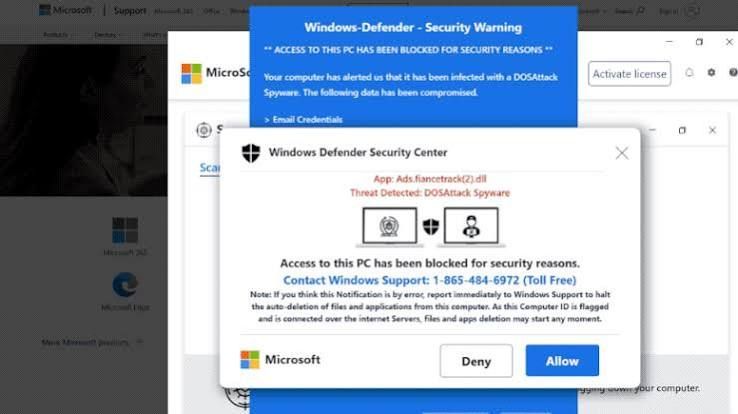
4. The “Security Alert”
What happens: You receive an urgent notice from Microsoft, Google, or your bank saying your account was locked.
The trick: The link leads to a fake login page that collects your credentials.
Stay safe:
- Go directly to the real site—don’t click the link.
- Real companies rarely ask you to “verify immediately” under threat.
5. The “Refund or Reward”
What happens: You’re told you overpaid or earned a refund and just need to “confirm your information.”
The trick: They ask for card numbers or personal data to “send your money.”
Stay safe:
- If it sounds too good to be true, it is.
- Never share financial info over email.
Quick Ways to Protect Yourself
- Hover over links before clicking—make sure the web address matches the real company.
- Use strong, unique passwords (and a password manager).
- Turn on multi-factor authentication wherever possible.
- Keep antivirus software and your system updated.
- When in doubt, delete or report the email.
Bottom Line
Phishing emails are getting harder to spot, but one simple rule still works: slow down before you click. A few seconds of caution can save you hours—or even thousands of dollars—in cleanup later.