

Stop Paying Every Time Something Goes Wrong with Your Computer
September 30, 2025
Stop Paying Every Time Something Goes Wrong with Your Computer
Most people only call for computer help when they hit a wall—when email won’t load, when the printer stops working, or when a strange pop-up takes over the screen. Then it’s a stressful scramble to find help… and a bill of $79.99 or more for each visit.
We designed our IT Plan to put an end to that cycle. For a flat $59/month or $600/year (a savings of $108), you get unlimited support and protection.

Here’s What’s Included
- Unlimited Remote Help Desk Support. No matter how small or confusing the problem—slow computer, Wi-Fi issues, email errors—you call us, and we fix it. No extra charges.
- Emsisoft Endpoint Detection & Response (EDR). Your shield against online threats, protecting you from viruses, phishing scams, and ransomware—problems that often go unnoticed until it’s too late.
- Cloud Backup (BDR). Your family photos, tax documents, and personal files stay safe in the cloud. Even if your computer crashes, your data is secure.
Why This Plan Makes Sense
- At $79.99 per ticket, just two or three calls a year already cost more than the annual plan.
- The monthly option is $59, but if you pay yearly it’s $600 total—a savings of $108.
- Either way, you get peace of mind knowing help is always available, without surprise costs.
No more stress. You’ll never have to wonder who to call or what it’ll cost when something goes wrong.
The Bottom Line
Technology shouldn’t be stressful. With our Home IT Plan, you and your family get unlimited help, strong security, and automatic backup—all for one predictable price.

Since our rebrand, one question keeps landing in our inbox: "Do you still recycle?" Yes, we do. And we'll come get it.
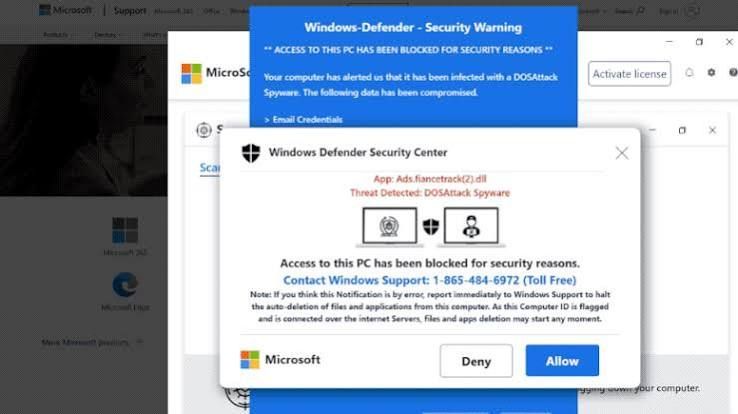
Is That Windows Update Real? How to Spot a Fake in 10 Seconds This month, several of our clients called us before clicking a "Windows security update" message. That was exactly the right move. Here's how you can tell the difference on your own.
Most people think a hacked computer looks like something: a scary popup, a frozen screen, a ransom note. But some of the most dangerous software on a computer never shows itself at all.