

Don’t Miss Important Emails — How to Add Emails to Your Safe Sender List
May 16, 2025
How to ensure you don't miss important emails
Are important emails going to your spam folder? You’re not alone. Email providers like Gmail, Outlook, and Yahoo try to filter out junk — but sometimes, they block messages you actually want, like appointment reminders, invoices, or service updates.
To make sure you never miss a message, just add the company domain(s) to your safe sender list (also called a whitelist). For example, our domains are
capcity.tech.

Add The Domain:
@topcity.tech
Here’s How to Do It:
Gmail (Google Mail)
- Open Gmail
- Click the gear icon → “See all settings”
- Go to the Filters and Blocked Addresses tab
- Click Create a new filter
- In the “From” field, type:
@topcity.tech - Click Create filter
- Check Never send it to Spam
- Click Create filter again
Outlook (Microsoft)
- Go to Outlook.com
- Click the gear icon → “View all Outlook settings”
- Go to Mail → Junk email
- Under Safe senders and domains, click Add
- Type
topcity.techand click Enter - Click Save
Yahoo Mail
- Click the Settings gear → More Settings
- Go to Filters → Add new filters
- Name it “Top City Tech”
- Set “From” contains
@topcity.tech - Choose folder: Inbox
- Click Save
Still not seeing emails in your inbox?
Check your Spam or Promotions folder and drag any missed messages into your Inbox — your provider will learn it's safe.
Need help? Call or message us — we’ll walk you through it.

Since our rebrand, one question keeps landing in our inbox: "Do you still recycle?" Yes, we do. And we'll come get it.
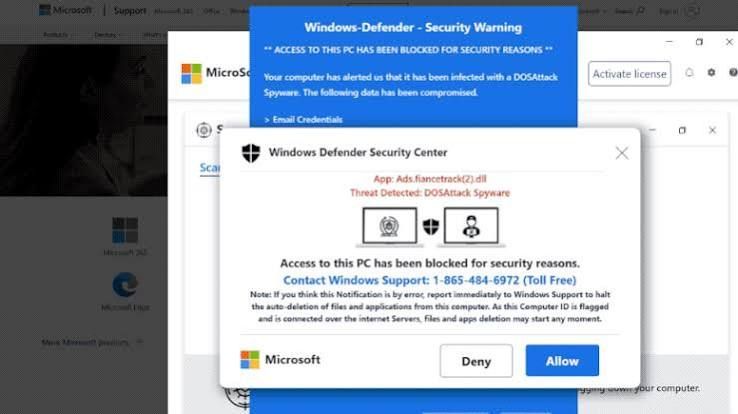
Is That Windows Update Real? How to Spot a Fake in 10 Seconds This month, several of our clients called us before clicking a "Windows security update" message. That was exactly the right move. Here's how you can tell the difference on your own.
Most people think a hacked computer looks like something: a scary popup, a frozen screen, a ransom note. But some of the most dangerous software on a computer never shows itself at all.